MobaXterm: How to Fix Multiple Password Prompts when Connecting via SSH (Solaris/Linux)
If you are a System Administrator, you probably use MobaXterm as your go-to tool for its versatility: integrated X server, SSH client, SFTP file transfer, and more. However, since version 21.1, many users started experiencing a frustrating issue: MobaXterm requests the password three times before allowing access to certain hosts, particularly those running Solaris.
In this article, I’ll explain why this happens and how to fix it permanently by adjusting your SSH configuration.
The Problem: Why does MobaXterm ask for the password repeatedly?
At first, you might think the SSH package was upgraded on the server side or that a system-wide OS upgrade changed the security policies. However, if you test the connection with other clients like Putty.exe, the issue does not occur.
The root cause lies in the Preferred Authentications order. MobaXterm tries several methods that the server might not accept immediately, exhausting the allowed attempts before falling back to the interactive keyboard method.
Step-by-Step Solution: Adjusting the PreferredAuthentications Order
To fix this behavior, we need to force MobaXterm to use keyboard-interactive as the primary option. Follow these steps within your MobaXterm local terminal:
1. Prepare your configuration file
Inside your "Moba home," make sure you have a .bashrc file. If it doesn't exist, create it. We will automate the process to ensure your SSH changes persist:
2. Edit the ssh_config file
Locate the file at /etc/ssh_config. Find the line containing the authentication methods, comment it out, and add the corrected version:
# Original line (Commented out):
# PreferredAuthentications hostbased,publickey,password,keyboard-interactive
# New configuration with priority for keyboard-interactive:
PreferredAuthentications keyboard-interactive,hostbased,publickey,password
3. Save changes persistently
Copy your modified SSH config to a backup file so your changes aren't lost when you restart your session:
/bin/cp -p /etc/ssh_config /etc/my_ssh_config
Final Result
After applying these changes, try connecting to your Solaris or Linux host again. You should find that it now connects seamlessly, asking for the password only once—exactly as it should.
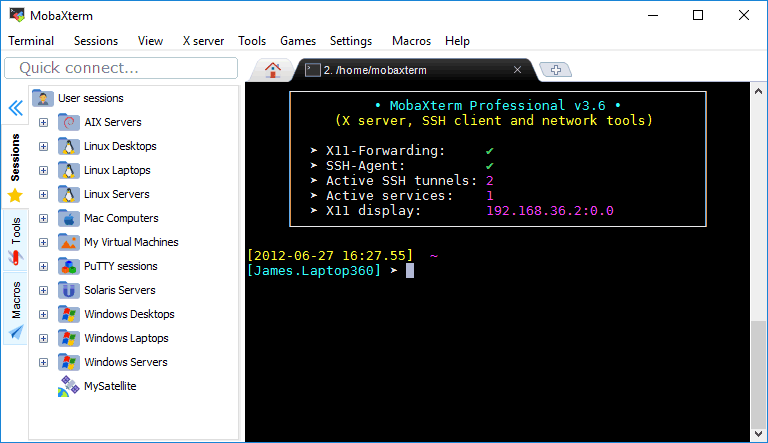 |
| MobaXterm Window |


Comentarios